
How to Use Your Crypto Wallet with InstaSwap (No Connection Needed)
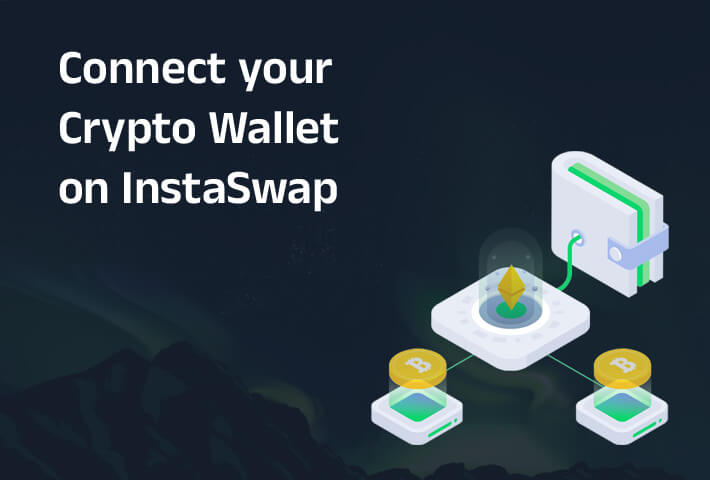
If you are looking for a "Connect Wallet" button on InstaSwap, you will not find one, and that is by design. InstaSwap is walletless: you never connect a wallet, sign a message or grant permissions. You simply send your deposit from any wallet you control and receive the swapped asset at an address you provide. This guide explains how your crypto wallet fits into that flow, which wallet types work, which networks are supported and how to keep your assets safe while swapping across chains.
What Are Crypto Wallets?
Crypto wallets are digital tools for storing, managing and transacting with your digital assets securely. They hold your private keys and let you send and receive funds on a blockchain. They come in two main types:
Software Wallets (Hot Wallets)
Software wallets are apps for desktop or mobile that are always connected to the internet. They are convenient for day-to-day asset management and frequent transactions, and they work perfectly as the wallet you send from and receive to on InstaSwap.
Hardware Wallets (Cold Wallets)
Hardware wallets keep your private keys offline on a physical device, offering stronger security for larger amounts and long-term storage. Because InstaSwap only needs you to send a transaction and provide a receiving address, a hardware wallet works just as well as a software wallet.
InstaSwap supports 67+ blockchain networks, including Bitcoin, Ethereum, Solana, BNB Chain, Avalanche, Polygon, Arbitrum, Litecoin, Dogecoin and Monero, so any wallet that supports the networks you want to swap between will work.
Why InstaSwap Does Not Ask You to Connect a Wallet
Skipping the wallet connection step is a deliberate choice that improves both security and simplicity:
- No approvals, no signatures: you never grant token approvals or sign messages, which removes an entire class of phishing and drainer attacks.
- Full self-custody: your private keys and seed phrases never interact with the platform. InstaSwap's non-custodial model means you always control your funds.
- Any wallet works: software wallets, hardware wallets and even exchange withdrawals can be used, as long as you can send to the deposit address and receive at your chosen address.
- Access to every feature: native cross-chain swaps, private and ZK private swaps, Split Swap and Payments all work the same way, with no connection required.
Step-by-Step: Using Your Wallet with InstaSwap
Here is how your wallet comes into play during a swap:
Open the InstaSwap App
Go to app.instaswap.com in your browser. Check that you are on an official domain before you do anything else.
Choose Your Pair and Amount
Select the asset you want to send and the asset you want to receive, then enter the amount. Every quote compares routes across THORChain, Chainflip, 1inch, Jupiter and 10+ decentralized venues.
Enter Your Receiving Address
Open your wallet, copy the receiving address for the destination asset on the correct network and paste it into InstaSwap. This is where the swapped funds will arrive, so double-check it.
Review and Confirm
Check the amount you will receive and the fees, then confirm. You will be shown a unique deposit address protected by programmatic escrow.
Send the Deposit from Your Wallet
From your wallet, send exactly the amount shown to the deposit address. That is the only action your wallet performs. If the route fails for any reason, the deposit is refunded automatically.
Receive Your Asset
Most swaps complete within minutes. The destination asset arrives natively in the wallet whose address you provided.
Best Practices for Wallet Security
Keep your digital assets safe by following these wallet security tips:
- Guard your private keys: never share your private keys or secret recovery phrase with anyone. InstaSwap will never ask for them.
- Use trusted wallets: rely on well-known wallets with a strong security reputation. Consider a hot wallet for frequent swaps and a cold wallet for long-term storage.
- Update your software: regularly update your wallet app and device operating system to protect against vulnerabilities.
- Verify authenticity: always confirm you are on the official InstaSwap domain to avoid phishing sites. Beware of any site that asks you to connect a wallet or sign a message in the name of InstaSwap.
- Check the network: make sure the receiving address you enter is for the correct network of the destination asset.
Most Common FAQ
What is a crypto wallet?
A crypto wallet is a digital tool that securely stores your private keys and lets you send and receive cryptocurrencies.
Do I need to connect my wallet to InstaSwap?
No. InstaSwap is walletless. You send your deposit from any wallet you control and receive the new asset at the address you provide.
How do I use my wallet on InstaSwap?
Copy your receiving address from your wallet into InstaSwap, confirm the quote, then send the deposit from your wallet to the escrow address shown.
Are software wallets safe to use with InstaSwap?
Yes. Reputable software wallets offer strong security for everyday use, and since InstaSwap never requests approvals or signatures, the risk surface is minimal.
Can I use a hardware wallet with InstaSwap?
Absolutely. A hardware wallet can send the deposit and receive the destination asset like any other wallet, with the added security of offline keys.
Do I need to use multiple wallets?
Not necessarily. One multi-chain wallet can send and receive across many networks. You can also send from one wallet and receive to another.
Is my private key at risk when swapping?
No. InstaSwap follows a non-custodial model and never connects to your wallet, so your private keys, seed phrase and addresses remain entirely in your control.
What if I send from an exchange account?
You can send the deposit from an exchange withdrawal, but make sure the receiving address you provide belongs to a wallet you control, not an exchange deposit address, so refunds and private swaps work as expected.
How does the walletless design improve my experience?
Fewer steps, no approvals, no browser extension requirements and a smaller attack surface, with the same competitive rates across 67+ networks.
Where can I learn more?
Read how walletless swaps work, how swaps work and the other guides on the InstaSwap blog.
Conclusion
Your crypto wallet is essential to swapping on InstaSwap, but not in the way most platforms require. Instead of connecting it and signing approvals, you simply send from it and receive to it. This walletless design keeps your keys private, works with any wallet type and still gives you access to fast, secure and cost-effective swaps across 67+ chains, whether you are executing a simple Bitcoin swap or a complex cross-chain exchange.
Next Steps
- Interested in a broader look at decentralized trading? Read How swaps work.
- Want to dive deeper into liquidity, blockchain networks or cross-chain swaps? Browse the InstaSwap blog.
- New to crypto? Set up a reputable wallet first, back up your recovery phrase offline, then come back and make your first swap.
Remember: in the world of non-custodial exchanges, "not your keys, not your crypto" holds true. By keeping custody of your assets in your own wallets, you keep control of your financial destiny. Just make sure you are equipped to handle it responsibly.
Happy swapping! Enjoy the seamless experience that InstaSwap offers for all your cryptocurrency swap needs.